A customer brought in a 2015 MacBook Air with a screen that had gone black. Apple had told them it was out of warranty and that a logic board replacement would cost more than the laptop was worth. The real problem turned out to be a part smaller than a grain of rice.
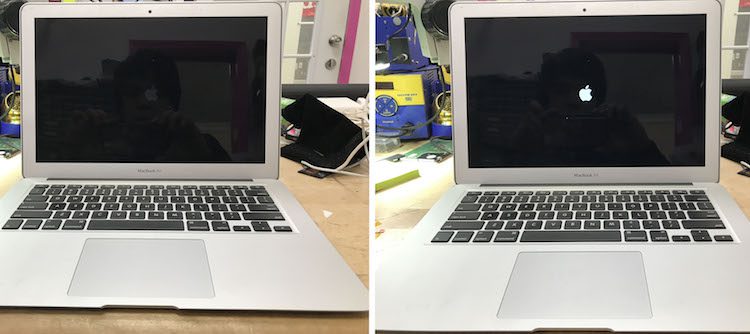
The symptom: dark screen, but the Mac is still running
If your MacBook Air turns on, chimes, and the keyboard lights up, but the screen stays black, shine a flashlight at the display at an angle. If you can faintly see the desktop or the login screen, the display panel is working. What’s missing is the backlight, the light behind the panel that makes the picture visible.
That narrows things down a lot. A backlight failure is usually one of three things:
- The backlight fuse. Laptops, phones and tablets have tiny fuses on the logic board, just like the breaker panel in your house. When one blows, the circuit it protects goes dead.
- The LED driver circuit. This is a small group of components on the board that powers the backlight. A short in the screen cable or a power surge can burn it out.
- The display cable or the panel itself. A pinched or worn cable at the hinge can cut the backlight signal too.
What happened on this MacBook Air
On this machine the backlight fuse had blown, and the surge that took it out also damaged part of the LED driver circuit. Everything else on the board was fine. Apple’s approach is to swap the entire logic board, which is why the quote was so high. Ours was to replace the burned components under the microscope and test the backlight voltage before closing it up.
The repair took a couple of hours of bench time instead of a new board, and the customer kept their Mac and everything on it.
Why the fuse blows in the first place
Fuses don’t usually fail on their own. Common causes we see:
- A liquid spill that reached the display connector
- A damaged screen cable at the hinge that shorted
- A third-party charger or dock with bad power regulation
- A previous screen repair where the cable was connected while the Mac was powered
If the cause isn’t fixed, a new fuse will blow again. That’s why we check the screen cable and connector during the repair, not just the fuse.
Can you fix this yourself?
Honestly, no. The fuse and the LED driver parts are surface-mounted and tiny, and the board has dozens of near-identical components around them. You need a microscope, hot air, and a way to test the circuit afterward. Trying it with a regular soldering iron usually damages the pads, and then the repair gets harder.
What you can do at home is the flashlight test above, plus checking that screen brightness isn’t simply turned all the way down. On some models the brightness keys can be hit by accident.
When it’s the screen instead
If you shine a light and see nothing at all, or the screen shows lines or colored blotches, the display panel or its cable is the more likely problem. We test those too, and we’ll tell you which part actually failed before we quote anything.
Frequently asked questions
Is a dark MacBook screen always a logic board problem?
No. It can be the backlight fuse, the LED driver, the display cable or the panel. A quick diagnosis tells you which, and that changes the cost a lot.
Will I lose my data?
No. Backlight repair doesn’t touch the storage. Your files stay where they are.
Do you work on newer MacBook Air models too?
Yes. Apple silicon Airs have different circuits, but the same idea applies: find the failed component and fix it instead of replacing the whole board. See our MacBook Air repair page.
If your MacBook screen went dark, bring it to Charging Port at 4201 University Dr in Durham or call (919) 908-7444. Diagnostics are free.